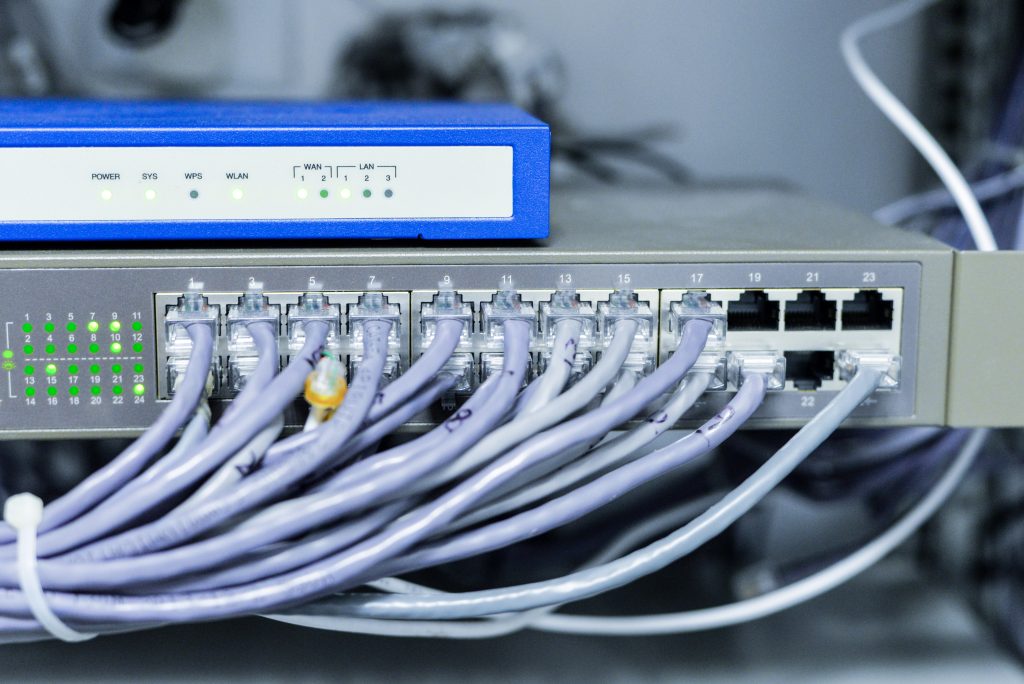
Testing EtherNet/IP functionality ensures that devices communicate properly in industrial networks. However, manual testing or using limited tools can create significant challenges, including missed communication errors, inconsistent results, and lengthy debugging cycles. This guide discusses these challenges and shows how NetStaX can streamline the process, reduce complexity, and improve testing accuracy.
Summary: Testing EtherNet/IP functionality can be complex, but NetStaX simplifies the process by providing:
- Comprehensive network simulation to mimic real-world conditions using EIPScan to simulate adapters and scanners.
- Automated interoperability testing using EDITT for consistent, reliable results.
- Advanced debugging features using EDITT and EIPScan for faster error detection.
- Built-in CIP Security using the security module to streamline security testing.
- Real-time monitoring using EIPScan for optimizing performance.
NetStaX reduces errors, speeds up development, and ensures reliability, helping developers bring products to market faster. Schedule a Discovery Call Today!
The Roadblocks of Testing EtherNet/IP Functionality
EtherNet/IP testing involves verifying both implicit (real-time) and explicit (non-time-critical) messaging and simulating network conditions such as traffic congestion or packet loss. These tests are vital for ensuring a product’s reliability, but doing them without dedicated tools often leads to issues:
- Manual Setup: The relief from manually setting up test environments, which can introduce inconsistencies, makes it easier to reproduce and validate results.
- Limited Network Simulation: Simulating real-world network traffic, failures, or delays is nearly impossible without the right tools.
- Lengthy Debugging: Debugging communication issues without specialized tools is time-consuming and often requires digging through logs manually.
- Post-deployment Risks: The elimination of missed issues during testing, which can result in costly errors or failures after deployment, provides a sense of security and customer satisfaction.
Testing EtherNet/IP Without NetStaX: Risks and Pitfalls
Without robust tools, teams face several risks, such as:
- Missed Communication Issues: The avoidance of manual testing that may not catch failures in message handling, especially under network strain, reassures the thoroughness of the testing process.
- Inconsistent Test Results: Manually configured test environments are prone to slight variations, leading to conflicting results.
- Prolonged Debugging: Without advanced debugging tools, finding and resolving communication problems takes longer, delaying product release.
- Higher Post-Deployment Risk: Issues missed during inadequate testing may surface after deployment, requiring costly fixes and leading to customer dissatisfaction.
How NetStaX Improves EtherNet/IP Testing Workflow
NetStaX addresses these risks with a suite of tools designed to simplify and improve EtherNet/IP testing:
1. Comprehensive Network Simulation
NetStaX’s EtherNet/IP Scanner Simulator allows developers to simulate real-world traffic conditions like network congestion, packet loss, and device failures. This ensures more thorough testing than manual setups can provide, catching issues before deployment.
2. Automated Testing
With NetStaX, repetitive testing tasks can be automated, ensuring consistent, reliable results. This helps developers verify implicit and explicit messaging across different scenarios, reducing manual effort and improving accuracy.
3. Advanced Debugging and Error Detection
NetStaX provides detailed logs and diagnostic tools to identify and troubleshoot communication issues quickly. This cuts down debugging time significantly compared to manually reviewing network traffic or configuration errors.
4. Built-in CIP Security Support
Security testing is crucial for industrial communication systems. NetStaX comes with built-in CIP Security support, allowing developers to test their product’s security features quickly and ensure they meet industry standards.
5. Real-time Monitoring for Performance Optimization
NetStaX allows real-time communication monitoring between devices, providing insight into performance bottlenecks and message latency. This feature helps teams optimize their systems for maximum reliability and performance before deployment.
NetStaX can simplify your integration process with advanced tools, expert support, and proven performance.
Unlock seamless EtherNet/IP integration with NetStaX – the trusted development solution for reliable, interoperable device communication. Explore how NetStaX can streamline your embedded software needs for enhanced connectivity and efficiency.
Why NetStaX Provides a Significant Advantage
NetStaX offers significant advantages by automating testing, providing comprehensive network simulation, and offering advanced debugging tools. By reducing manual errors, streamlining security testing, and allowing real-time performance monitoring, NetStaX enables faster, more reliable product development. Its ability to simulate real-world conditions and provide precise results significantly reduces post-deployment risks.
Testing EtherNet/IP functionality is a critical step in product development, but it doesn’t have to be complicated. NetStaX simplifies the process with automated tools, advanced debugging, and real-time monitoring. By improving efficiency and reducing errors, NetStaX ensures that your products are ready for deployment faster and more reliably.